| Unit # 1: Digital Literacy (Mastering Microsoft Word and PowerPoint) |
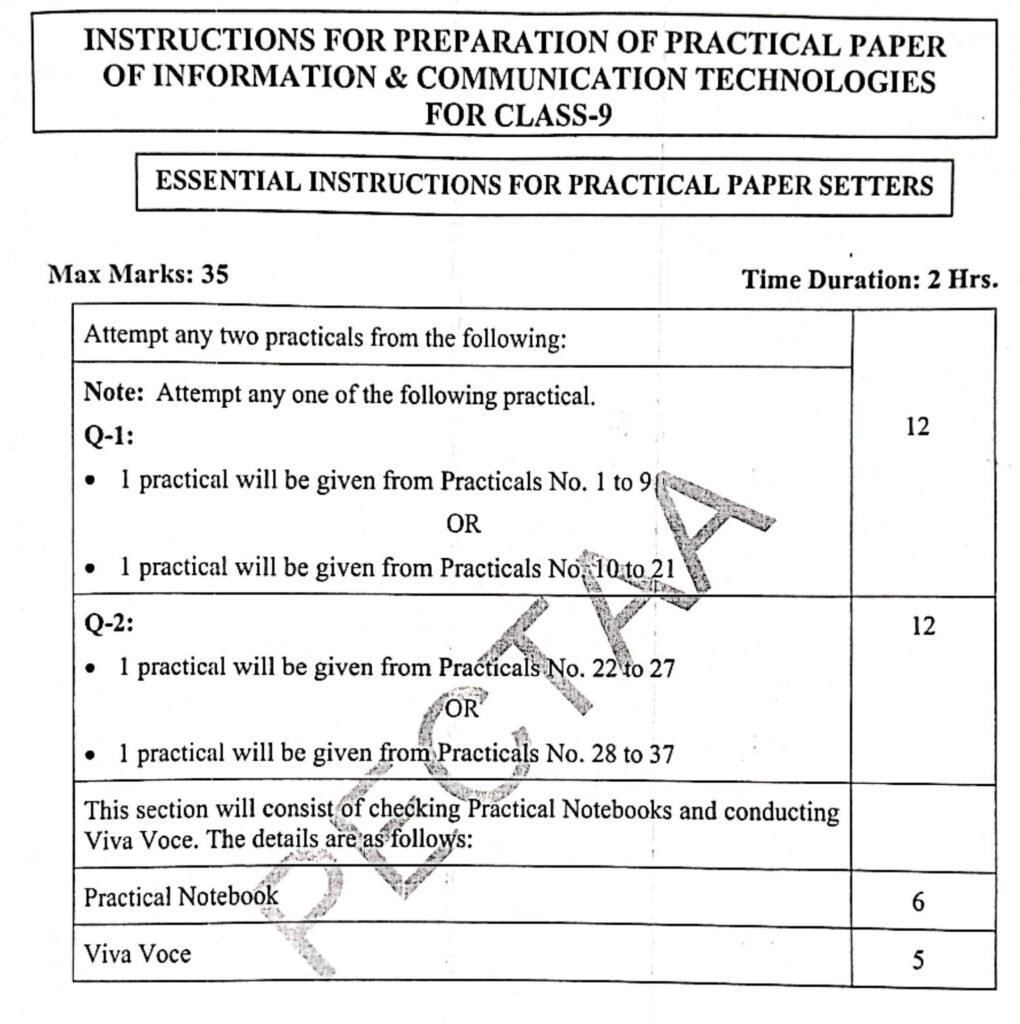
| 1. | Create and format a document with required text alignment, font styles and size and save the document with an appropriate file name. |
| 2. | Create job cover letter using built-in templates of word processing software. |
| 3. | Create a document and insert images, tables and shapes and then save the document. |
| 4. | Create a document and insert headings (Heading1, Heading2 and Heading3) and generate a table of contents. Save the document with an appropriate file name. |
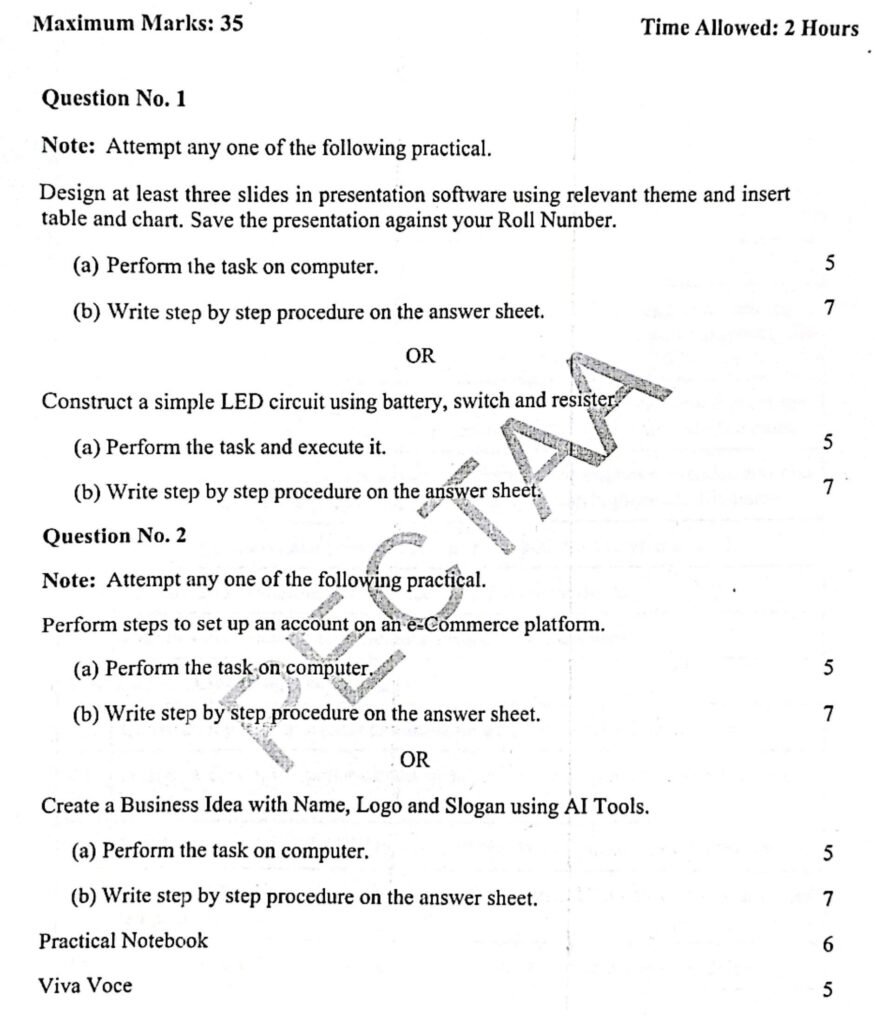
| 5. | Design at least three slides in presentation software using relevant themes and insert a table and a chart. Save the presentation with an appropriate file name. |
| 6. | Create a presentation, apply basic transitions and animations to slides and text elements, respectively. Save the presentation with an appropriate file name. |
| 7. | Prepare a professional presentation on sports activities in your school. |
| 8. | Prepare a Presentation to Introduce Your Favourite Book. |
| 9. | Create a Presentation for a Science Project or Experiment. |
| Unit # 2: Emerging Technologies (Exploring Arduino Basics – Circuits, Code and Projects) |
| 10. | Constructing a simple LED circuit using a battery, switch and resistor. |
| 11. | Design a functional paper-circuit using copper tape, an LED and a coin cell battery. |
| 12. | Build series and parallel LED circuits to observe brightness and behaviour. |
| 13. | Set up an LM35 temperature sensor with Arduino UNO to measure ambient temperature. |
| 14. | Developer a sound activated alarm system with Arduino using time delay. |
| 15. | Build an Automatic Fan using Arduino. |
| 16. | Develop a Password-based door lock security system using Arduino. |
| 17. | Develop a temperature monitoring system with an alert using Arduino. |
| Unit # 3: Graphic Designing and Multimedia |
| 18. | Design a poster for a parent-teacher meeting day using any graphic designing tool (Canva, Poster Prep or any other design tool). |
| 19. | Design A Flyer for a Sports Day for the promotion using any graphic designing tool (Canva, Poster Prep or any other basic design tool). |
| 20. | Design two images (with Urdu and English text) with required dimensions containing a school logo. |
| 21. | Create a Quick Response (QR) Code for a web link (YouTube video/channel). |
| Unit # 4: Fundamentals of Web Development and e-Commerce |
| 22. | Create a simple HTML webpage that contains the heading, text, image and hyperlink. |
| 23. | Develop an interactive Login Form that includes input fields for both username and password. The design specification requires that the font size within the textboxes be set to 20 pixels, ensuring clarity and ease of reading for the user. This implementation will adhere to basic principles of user interface design to promote usability and accessibility. |
| 24. | Write a JavaScript Code for form validation. |
| 25. | Create a bank account form with account number, name, phone, email, address, CNIC, branch address and debit card number. |
| 26. | Perform steps to set up an account on an e-Commerce platform. |
| 27. | Create a product listing with product description, image and price. |
| Unit # 5: System Troubleshooting and Maintenance |
| 28. | Make a bootable USB for the installation of the Operating System. |
| 29. | Add and Remove RAM in the Desktop Computer. |
| 30. | Add and Remove a Hard Disk in a Desktop Computer. |
| 31. | Configure a computer network manually with different devices such as a computer, a printer, a scanner and a switch. |
| 32. | Install, update an anti-virus and scan your computer thoroughly. |
| Unit # 6: Artificial Intelligence (AI) Technologies |
| 33. | Create a Business Idea with Name, Logo and Slogan using AI Tools. |
| 34. | Prepare your Curriculum Vitae (CV) by providing your personal and academic information to an AI tool. |
| 35. | Choose a topic from your ICT textbook that you find confusing. Use an AI Assistant to ask questions, get explanations and write a short summary in your own words. |
| 36. | Use AI tools to help you plan and create an online content. For example, a blog post, YouTube video idea or digital poster on any topic. |
| 37. | Use AI tools to help you write and practice a short 1-2 minutes speech or presentation on something you’re passionate about and present it to your class fellows, group or family. |